Start piano from zero

Understand music.
Play with confidence

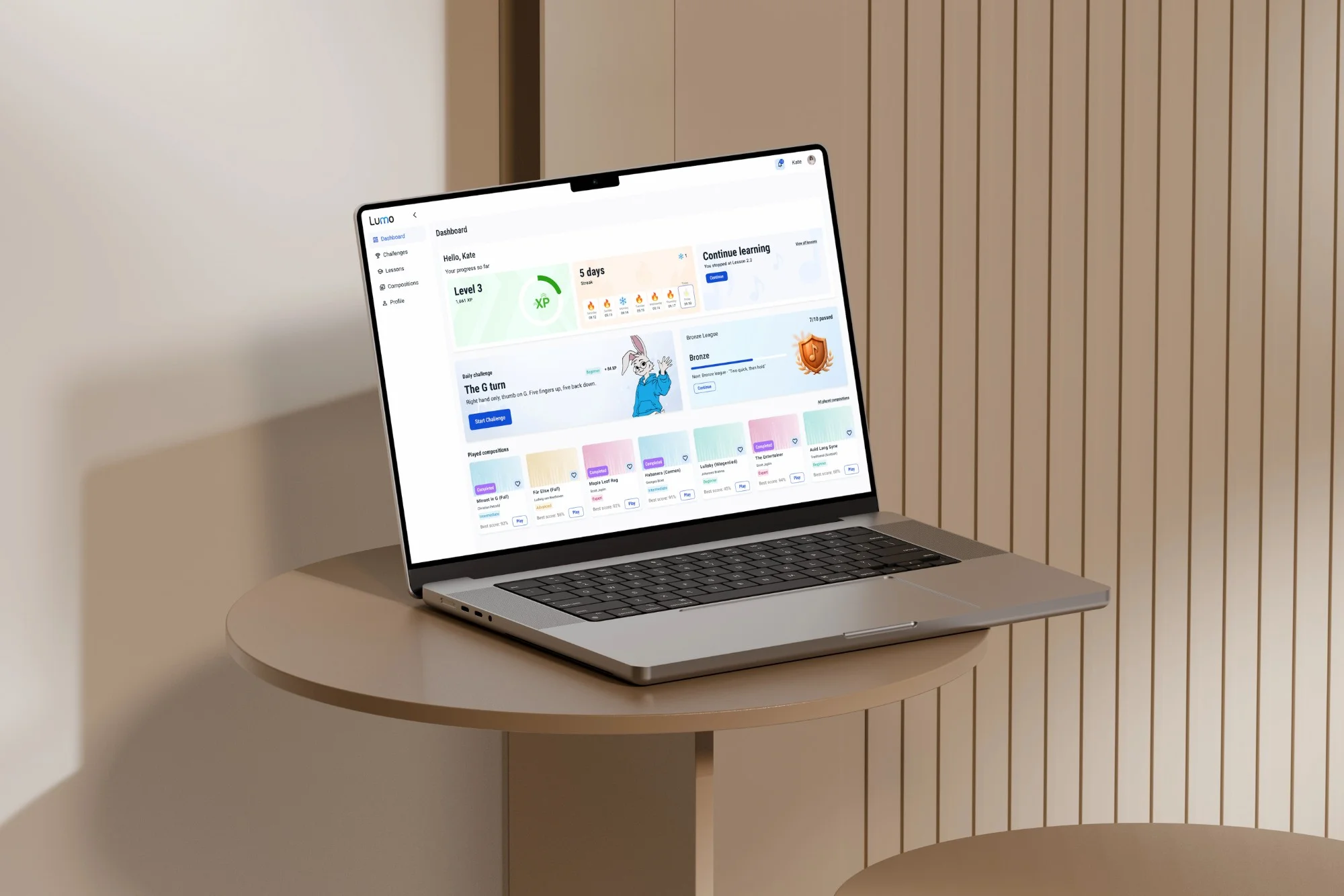
Lumo is daily piano practice for adult beginners — a short, plain-English idea you can read in three minutes, hands-on exercises on your own keyboard, and one daily challenge that gets a little harder through the week. Understand what you're playing, not just which key to press.

  • No song-by-song memorizing
  • Real keyboard, real feedback
  • Built for absolute beginners

Sound familiar?

“I can play it.
I just don’t understand it.”

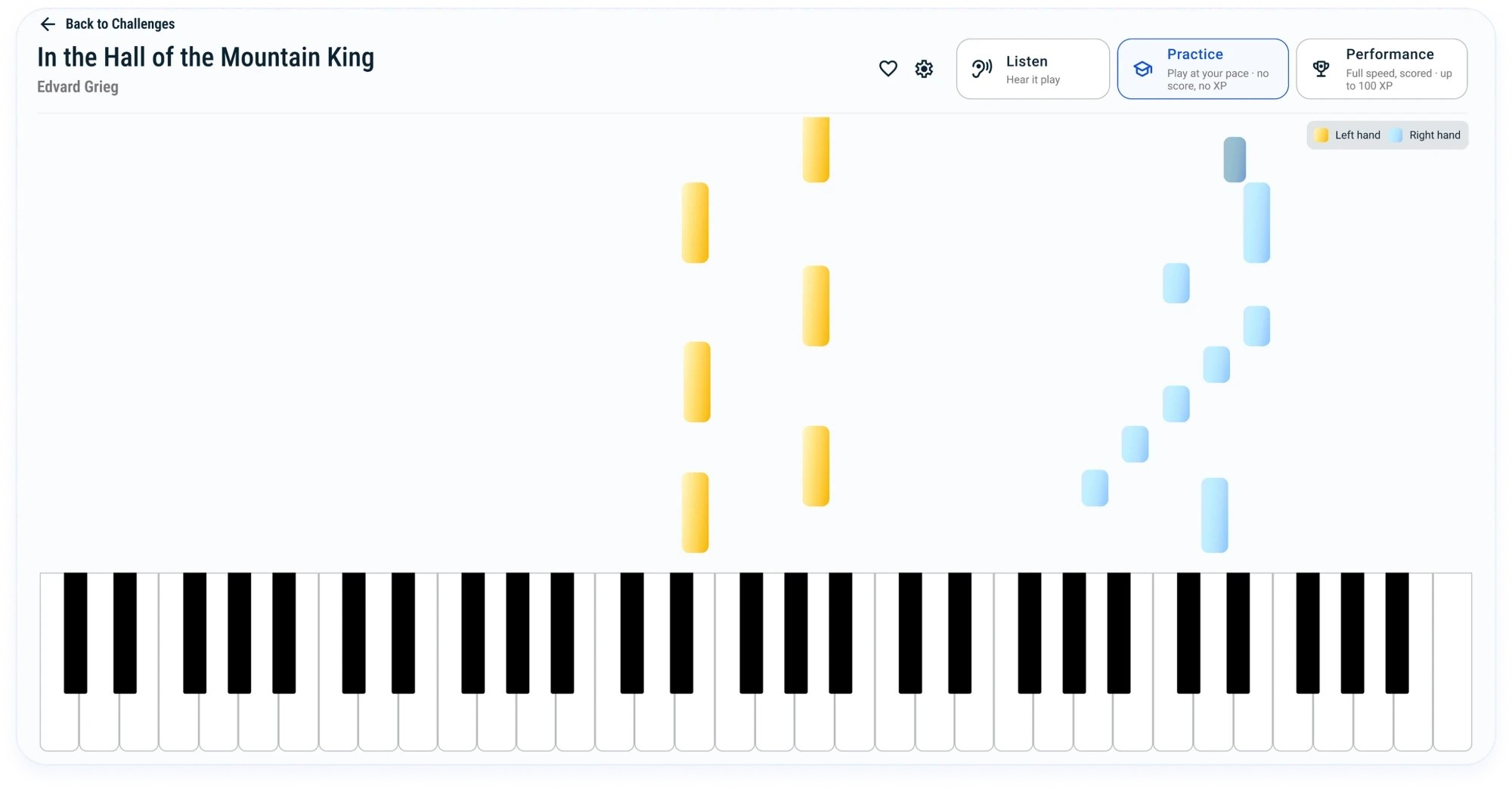
That's where most apps leave you. They show you which keys to press and when, and you can get all the way through a piece without ever learning why those notes work together, what a chord is, or how to play the next piece without the app holding your hand. Lumo keeps the falling notes — they're still the clearest way to see what to play — and adds the part that was missing: a short idea before you play, so the notes stop being instructions and start making sense.

how it works

Three minutes of theory.
Then you play it.

Every lesson opens with one short, plain-English idea — no jargon, no wall of notation — then puts your hands on the keys to use it right away. Read it, play it, keep it. Five to nine minutes, start to finish.

  • Read3 minutes

    One idea, explained the way a friend would, in about three minutes.

  • Play

    Put it under your fingers right away, with note-by-note feedback as you go.

  • Keep

    Small daily reps so it actually sticks, instead of evaporating by next week.

Lessons

Theory you can finish on a coffee break

No 40-minute video courses, no homework you'll skip. Bite-size lessons that fit a real adult week: short enough to do before work, structured enough to add up. And you never have to decide what to practice next. Miss a week, come back, pick up where you left off.

  • Notes & the keyboard
  • Rhythm & timing
  • Intervals & how they sound
  • Scales & keys
  • Triads & basic chords
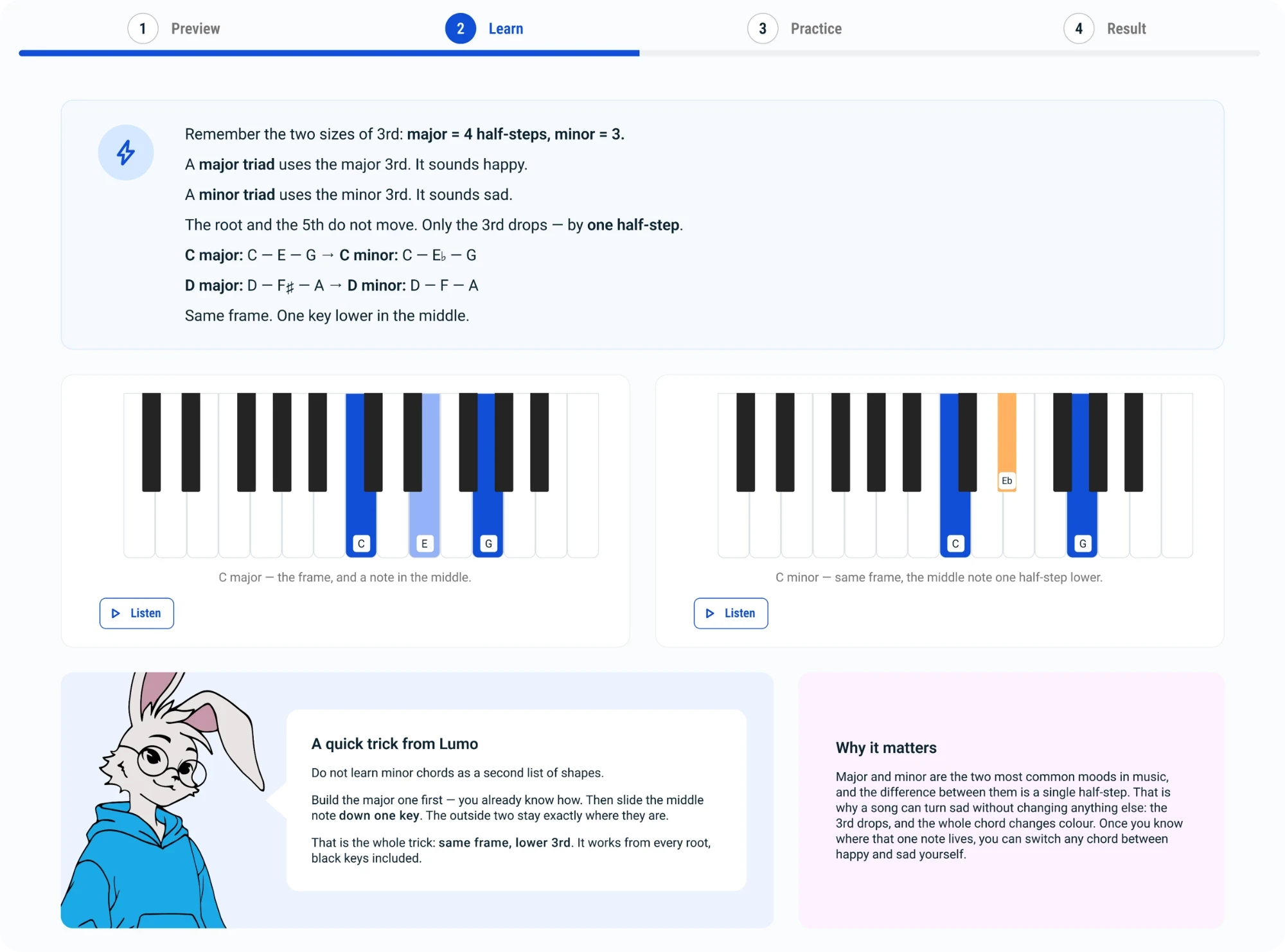
A Lumo lesson: C major beside C minor, one key moved

Daily challenge

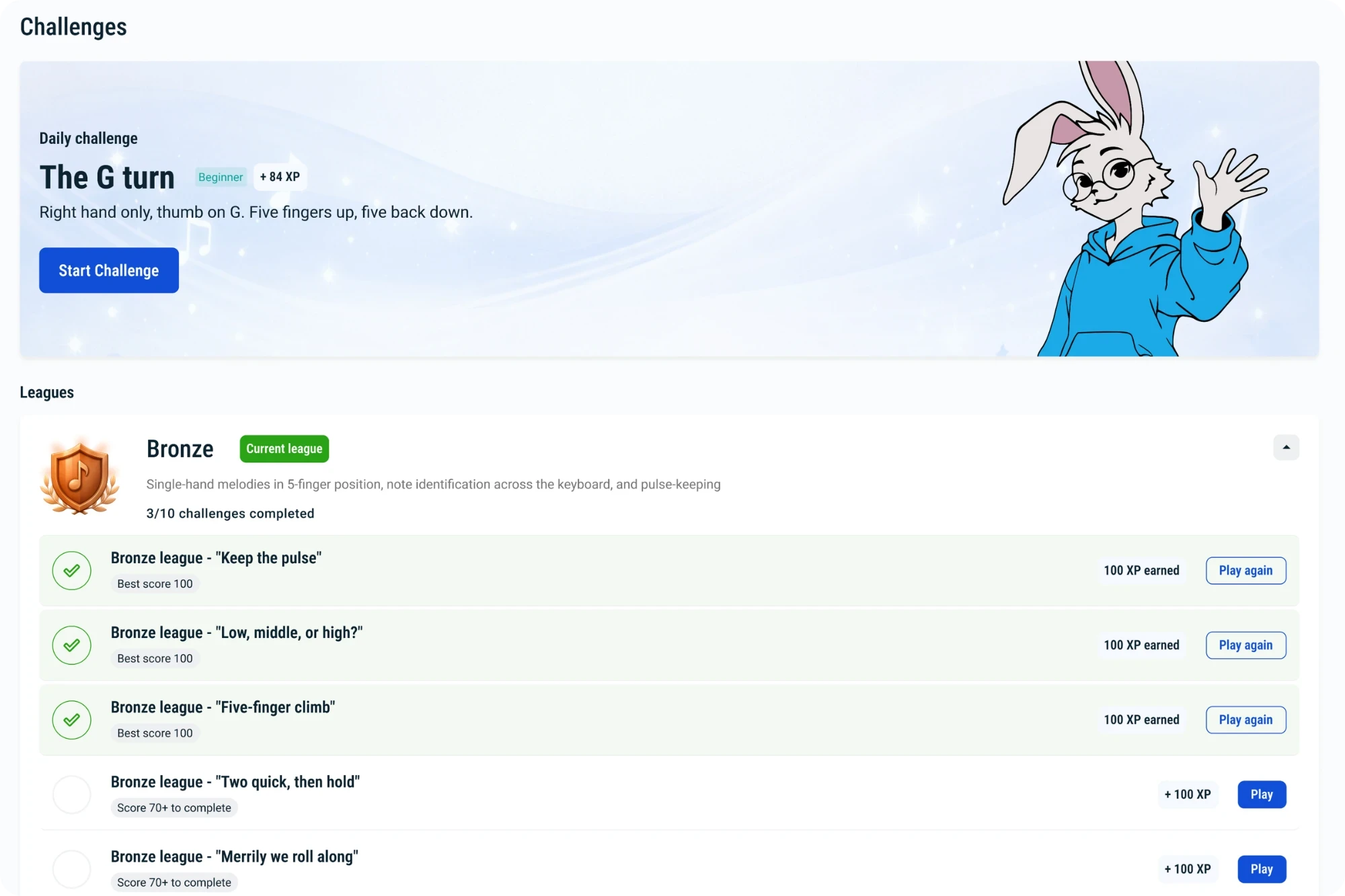
A daily challenge that ramps up through the week

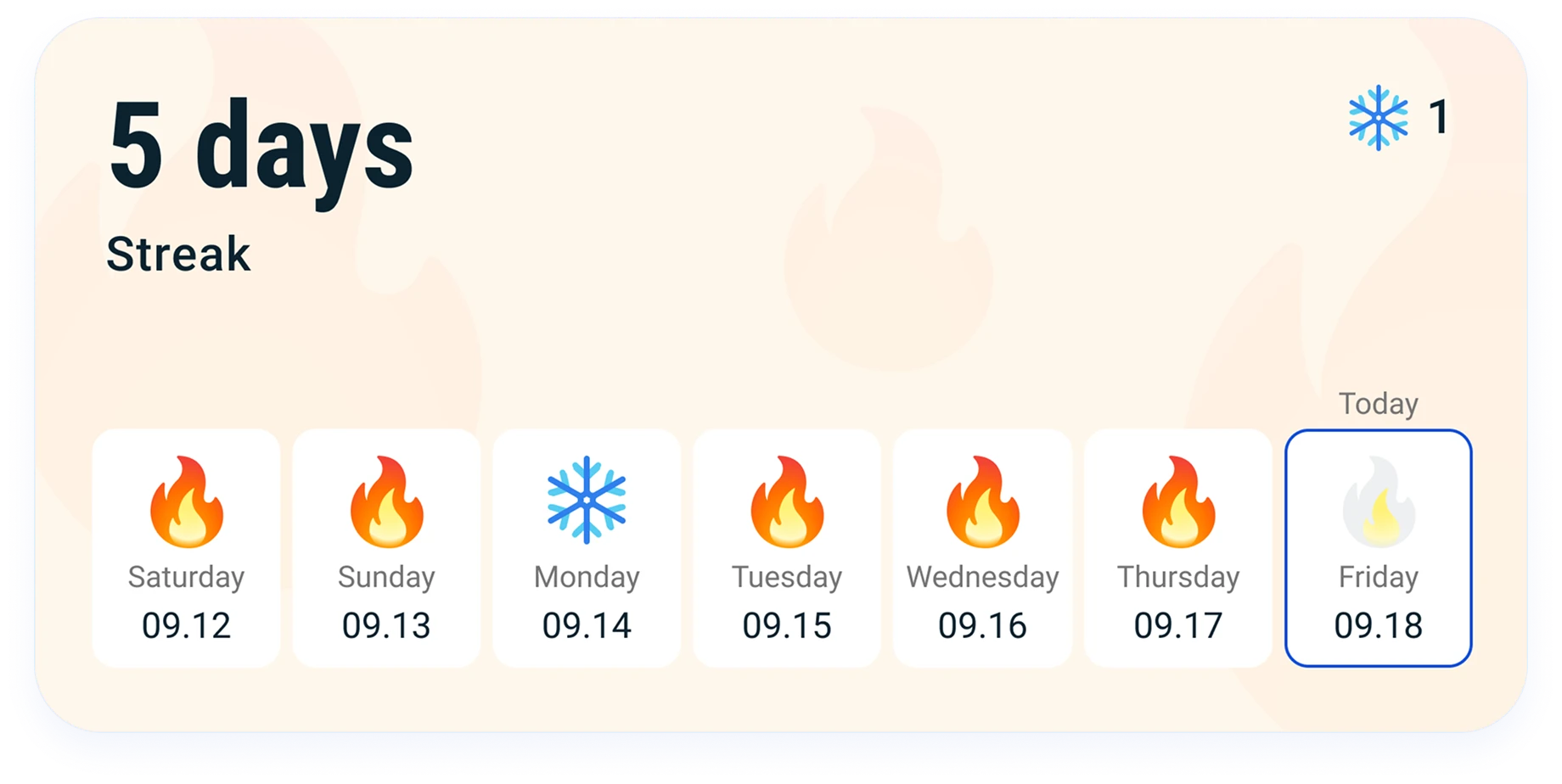
One fresh challenge a day, a little harder each day — a daily puzzle for your hands. Keep a streak going, climb through the league tiers, and let the habit carry you on the days motivation doesn't. Life gets in the way? Built-in streak freezes mean one busy day doesn't wipe your progress.

Leagues are difficulty tiers you climb — not a race against other players.

Lumo's challenges screen with the daily challenge and league progress

Feedback

Lumo reads every note you play

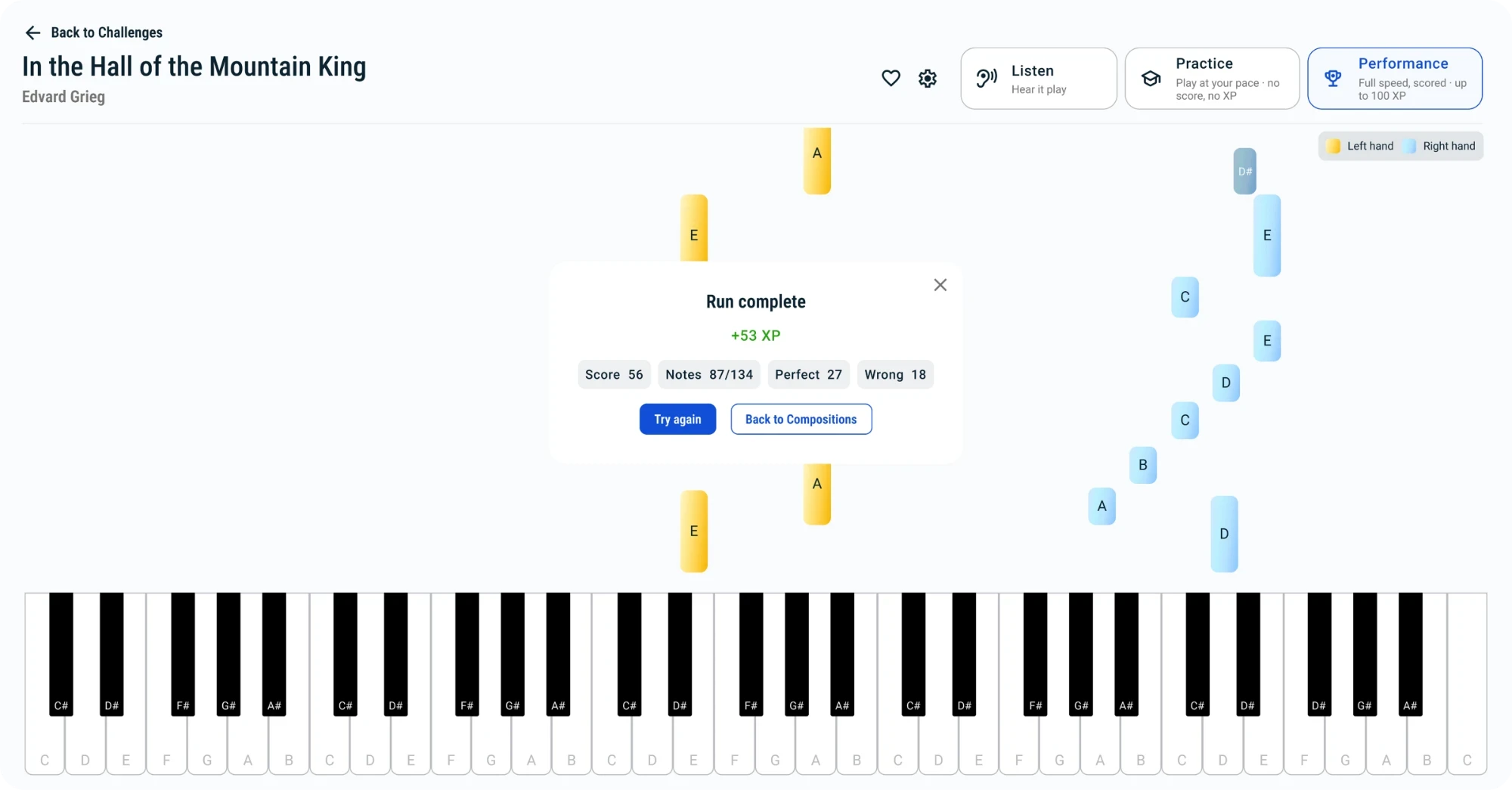
Connect your keyboard and Lumo follows along as you play, scoring your timing and accuracy key by key. Honest feedback, not a participation trophy: you see exactly where you're solid and where to slow down.

Beta

No keyboard yet? We're bringing mic input to the beta: play an acoustic or digital piano and Lumo listens through your laptop's microphone. Single-note melodies first — and we call it beta because that's exactly what it will be.

A finished Performance run in Lumo: score, notes hit, perfect and wrong counts

Repertoire

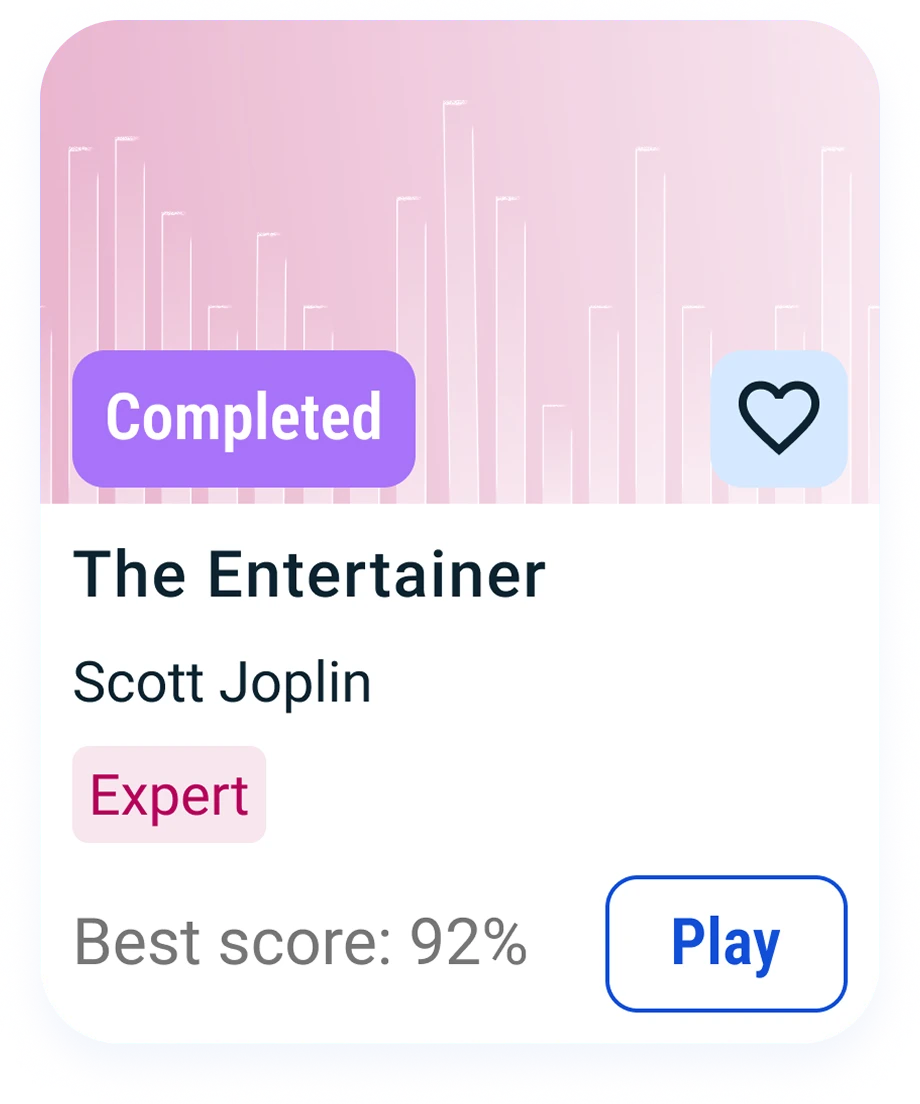
Real music, hand-picked, from your very first eight bars

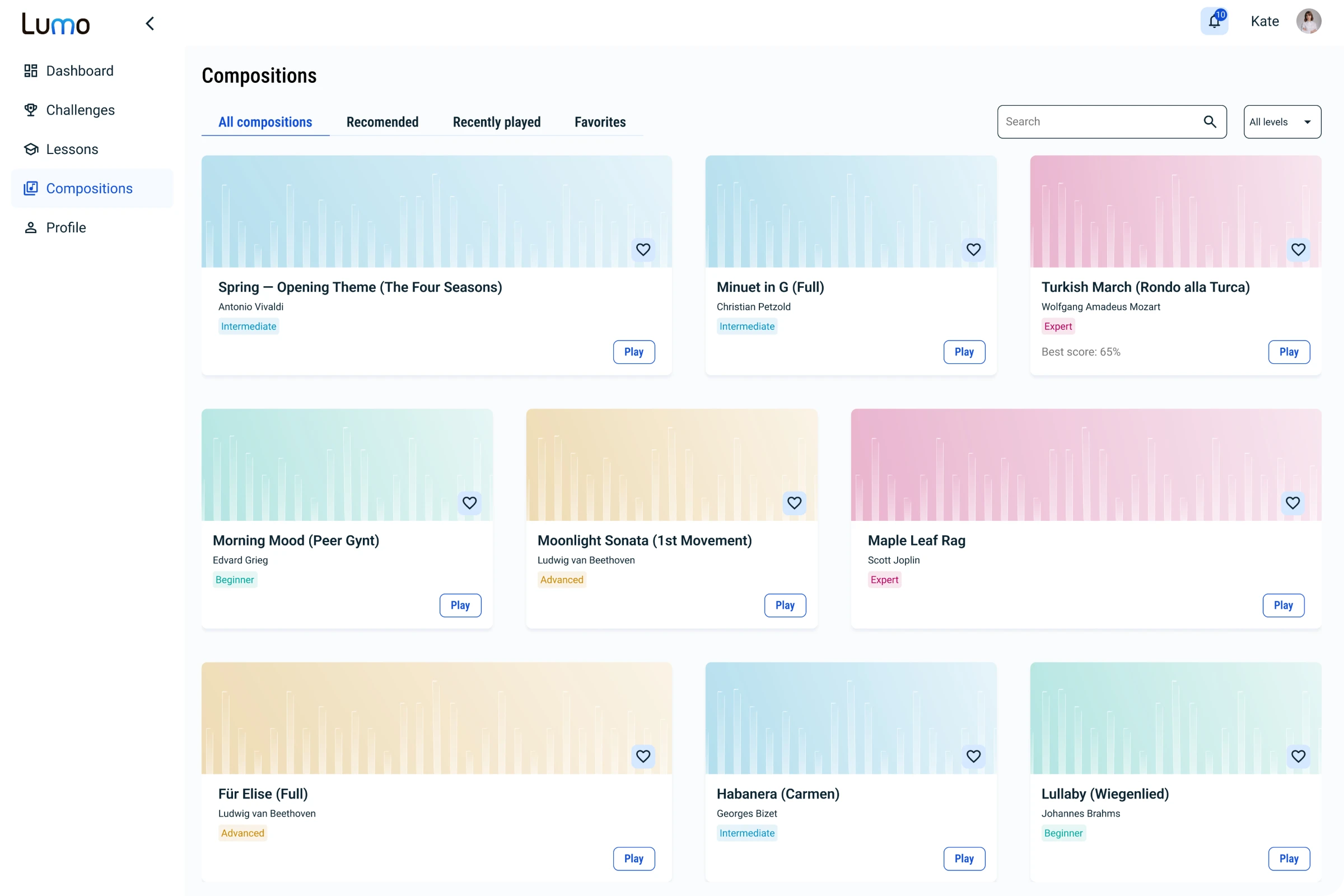
You play actual pieces early — short arrangements of Bach, Mozart, Beethoven, folk melodies and other timeless music, sized so a beginner can succeed. Every arrangement is sized for beginner hands and played through on a real keyboard before it reaches you.

Lumo's repertoire library of public-domain pieces

What you need

What you need to start

Not much: a keyboard that connects to your computer, a browser, and a few minutes a day. No grand piano, no software to install, no subscription to three other apps.

  • A computer with Chrome or Edge. Lumo runs in the browser — nothing to install. (iPhone and iPad browsers can't talk to keyboards yet.)

  • A keyboard that connects to your computer by USB — a MIDI keyboard or a digital piano. A modest 49-key one is plenty.

  • Five to nine minutes a lesson, plus a couple of minutes for the daily challenge. Not two hours every Sunday.

  • No keyboard yet? Join the waitlist anyway — we'll point you to good, affordable options, and mic input is on its way in the beta.

From the founder

Built by an
engineer who hit
the same wall.

I'm a software engineer and a music producer, and I started piano as an adult. I got exactly as far as the apps could take me: I could play the notes, but I didn't understand the music. So I built the thing I wished existed — a short idea first, then hands on the keys, real pieces, and the discipline to keep showing up. If that's the wall you're stuck at too, Lumo is for you.

— Vadym,founder of Lumo
Vadym, the founder of Lumo

Pricing

Pricing at launch

The private beta is free

When we open the doors, this is the price: one plan with everything in it — all lessons, exercises, daily challenges and repertoire. No tiers, no add-ons, no per-song purchases.

  • Monthly

    $12.99/ month

  • YearlyBest value

    $99/ year

    Over four months free

14-day free trial

No card needed

Cancel anytime

Payment processed by PayPro Global.

The beta is free

Beta members keep 50% off for as long as they stay subscribed. Everyone else on the waitlist gets first access and 30% off their first year.

Join the waitlist

FAQ

Nine objections. Honest answers.

Do I need a special keyboard?

You need a keyboard that connects to your computer — a MIDI keyboard or a digital piano with a USB port. An affordable 49-key model works fine, and most digital pianos already have the port; you may just need the cable, which often isn't in the box. Mic input for acoustic pianos is coming to the beta.

Is this for complete beginners?

Yes. Lumo is built for adults starting from zero, or restarting after years away. You don't need to read sheet music to begin: Lumo teaches the notes from the keyboard first and brings in the staff along the way. Nobody here compares you to a ten-year-old.

Can I learn the songs I already love?

Not the licensed pop hits — Lumo teaches with public-domain music (Bach, Mozart, Beethoven, folk melodies and the like). The goal is to make you a player who can eventually take on any song, not to rent you a song list.

How much time does it take?

Five to nine minutes a lesson — three minutes of theory, then you play. A few lessons a week is enough to feel real progress, and the daily challenge is a couple of minutes on top.

Does it work on my phone or iPad?

Lumo runs in your browser on a computer, which is where your keyboard plugs in. Phone and tablet play isn't supported yet — it's on the list.

What if I miss a day?

Your streak comes with built-in freezes, so one busy day doesn't undo your progress. Consistency beats perfection, and Lumo is built to forgive a real life.

Is it worth $12.99 a month?

One in-person lesson costs more than a month of Lumo. You're paying for a system that teaches you to understand and play — not a library you'll poke at twice. Cancel anytime. And the private beta is free: beta members keep 50% off for as long as they stay subscribed.

When does it launch?

We're running a small private beta this winter and want it genuinely good before we open the doors. Join the waitlist and you'll be among the first invited. No date we can't keep — but it's close.

Do I need a teacher as well?

Not to learn with Lumo. It's a complete, structured path for adult beginners: theory in plain English, practice on your own keyboard, honest note-by-note feedback. What a teacher adds is what a cable can't carry — your hands, your tone, your posture. If you have one, Lumo gives your week structure between lessons. If you don't, it stands on its own.

join the waitlist

Piano practice that actually sticks

Understand the music. Play with confidence. Be first through the door.

Do you have a keyboard that connects to your computer (incl. a digital piano)?

Loading…